Context Engineering — File Structure and Dynamic Loading for AI Assistants
Introduction
Most AI users still think the secret to better output is writing cleverer prompts. They add "act as a senior expert," "think step by step," tweak each word, run it again and again. The result barely changes.
The reason: prompt engineering is syntax, context engineering is infrastructure. Infrastructure always beats syntax.
This post summarizes how to organize context for an AI assistant using a 4-file + dynamic-loading-rules architecture. The goal: instead of cramming everything into a single CLAUDE.md and hoping the model "reads it carefully," we split it up and load the right part when needed — the way a codebase is organized into modules instead of one 5,000-line file.
The problem: prompt-only has run out of room
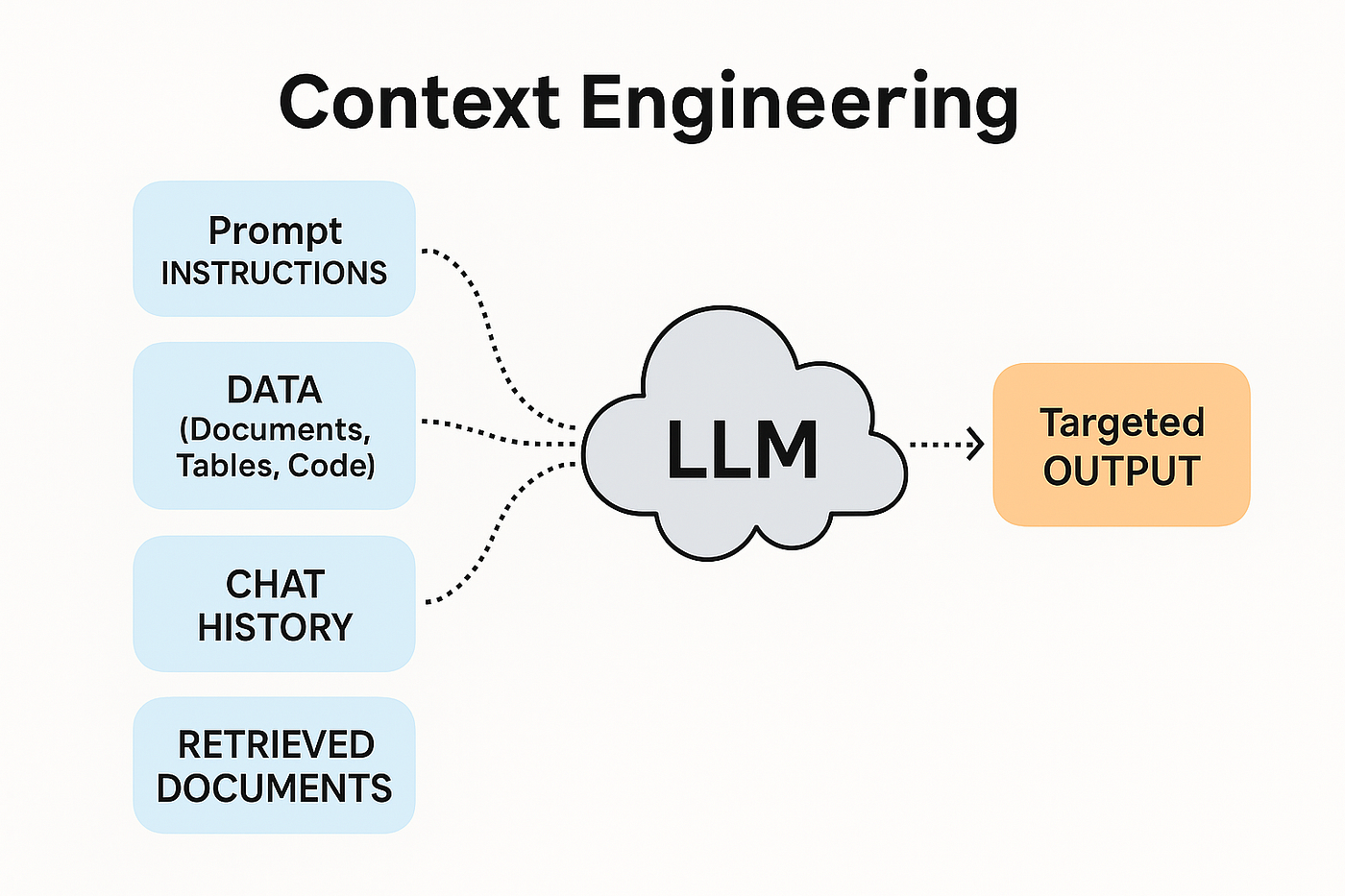
When you type a sentence into Claude (or any LLM), the model doesn't just see your sentence. It sees the entire context window: the system prompt, the conversation history, attached files, tool definitions, and the latest prompt. All processed together.
The prompt is one ingredient. The context is the whole kitchen.
Most people obsess over the ingredient and ignore the kitchen. They write a beautiful prompt and paste it into an empty conversation with no context. The output comes out generic because the model has nothing to personalize with: it doesn't know your job, your audience, your standards, or your prior decisions. A "blind" model defaults to safe, average, bland output.
Context engineering solves this by "giving the model eyes."
Concept: 3 layers of context
Every AI interaction has 3 layers of context. Most beginners use only 1.
Layer 1 — Immediate context. The prompt you type right then. The question, the instruction, the desired format. 99% of people stop here.
Layer 2 — Session context. Everything the model sees within one conversation: uploaded files, message history, system instructions. Most users use some of it but don't design it deliberately.
Layer 3 — Persistent context. Knowledge that persists across sessions. Memory systems, context files, knowledge bases, saved preferences. Almost no one uses it well — and this is where the biggest leverage is.
This post focuses on layer 3 — specifically how to design persistent context into a maintainable file structure.
The 4-file architecture
Instead of cramming everything into a single CLAUDE.md (or system prompt), split it into 4 independent files. Keep each file under ~2,000 words so it fits the context window and stays easy to update.
identity.md — "Who I am"
Contents: - The AI assistant's role: is it a code reviewer, content writer, data analyst, or general assistant? - Scope: what it's allowed to do, what it isn't - Communication style: primary language, secondary language, tone (formal / informal), default answer length - Preferred format: markdown, plain text, emoji or not, headings or not - Hard constraints: never do X, always do Y when encountering Z
This is the "onboarding document" for the AI. If you were onboarding a new person on the team, what would you explain? Write exactly those things.
audience.md — "Who I serve"
Contents: - Primary user: who, background, expertise level - Pain points: what they hate (verbose AI, generic answers, mentioning things they already know...) - Preferences: bullets or paragraphs, citations or not, Vietnamese or English - Anti-patterns: the kinds of answers that frustrated them before - Decision authority: what the user decides, what the AI should ask before doing
This file ensures the output is targeted, not generic. A "right" answer for a senior dev is completely different from a "right" answer for a marketing manager — even with the same prompt.
standards.md — "What good quality is"
Contents: - Coding principles: Read Before You Write, Convention Beats Novelty, Surgical Changes (concrete rules, not slogans) - Quality criteria: when output is considered "good enough" to send - Domain anti-patterns: e.g. an example of code that gets rejected, an example of a paragraph that gets rejected - Examples of excellent work: 1–2 model outputs for the model to calibrate against - Hard rules: never commit a secret, never disable a test, never refactor adjacent code
This is the "quality control system." Every rule must answer: which specific mistake does this rule prevent? A rule that can't be traced back to a real failure is noise — cut it.
project.md — "What I'm working on right now"
Contents (this file is dynamic, updated often): - Active projects: a list + a one-line description for each - Recent decisions (rolling, last 30 days): "on day X chose approach Y because of reason Z" - Open questions: things not yet decided, waiting on information - Deadlines / milestones: important upcoming dates - Tools / capabilities available: SSH alias, API key location, running cron jobs, connected MCP servers - Where things live: folder layout, deployment URL, log location
This is the dynamic layer — it changes weekly. The point: the AI doesn't need to ask "where is the current project" every session.
Dynamic Loading Rules — don't load everything every session
This is the most important part, and the part most setups skip.
The problem: Loading the entire knowledge base into every conversation wastes tokens AND hurts performance. When the context window is stuffed with irrelevant information, the model's attention gets diluted. It tries to use everything and ends up using none of it well.
The solution: Pre-define a loading rule corresponding to each task type.
Example loading rules:
TASK TYPE                    | LOAD
-----------------------------|------------------------
Every session                | identity.md, audience.md
Coding / system design       | + standards.md
Touching a specific project  | + project.md
Content summarization        | (identity + audience only)
Quick Q&A (math, lookup)     | (load nothing extra)
Strategic planning           | + project.md + standards.md
Research                     | + project.md
These rules are written in the root file (CLAUDE.md or the system prompt) as an index. When it receives a task, the AI classifies the task itself, reads the rules, then uses a tool (Read file) to load the appropriate file.
Result: - Content-summarization task: ~70 lines of context (identity + audience) - Coding task: ~120 lines (plus standards) - Project-touching task: ~170 lines (plus project)
Compared to a monolithic 280 lines loaded every turn, that saves 40–75% of tokens and, more importantly: the model's attention isn't diluted with irrelevant information.
The concrete directory structure
your-project/
├── CLAUDE.md                ← root, ~20 lines (auto-loaded)
└── .claude-context/
    ├── identity.md          ← ~30-50 lines
    ├── audience.md          ← ~20-30 lines
    ├── standards.md         ← ~50-70 lines
    └── project.md           ← ~50-70 lines (dynamic)
The root CLAUDE.md contains only 3 things:
- A short one-paragraph identity (5 lines) — enough to know who the bot is even before any file is loaded
- Loading rules — a table mapping task type → files to load
- A file index — a list of the 4 sub-files + a one-line description of each
Example root content:
You are <role>. Working dir: /your-project/.

Context files at .claude-context/:
- identity.md: who I am
- audience.md: who I serve
- standards.md: code/communication rules
- project.md: active work + tools

Loading rules (read these files at task start when matching):
- ALWAYS: identity.md, audience.md (small, ~50 lines combined)
- IF coding/system design: + standards.md
- IF touching active project: + project.md
- IF just summarizing content: nothing extra
- IF quick Q&A: nothing extra
Those 20 lines are everything that auto-loads each session. All other context is on-demand.
The AI's workflow when it receives a task
- Read the root CLAUDE.md (automatic, no tool-call cost)
- Classify the task per the loading rules
- Load the appropriate files via the Read tool (1 tool call per file)
- Run the task with just enough context
A concrete example:
- User: "Summarize this blog post → 5 bullets"
- AI classifies: content summarization → identity + audience only
- AI reads identity.md → sees "answer in Vietnamese, terse, no fluff"
- AI reads audience.md → sees "user is a senior dev, no need to explain basic terms"
- AI summarizes with just enough context — not disturbed by standards.md (code rules) or project.md (project list)
Comparison: monolithic vs split
| Criterion | Monolithic CLAUDE.md | 4-file + dynamic load |
|---|---|---|
| Tokens per turn | 100% (full load every time) | 25-60% depending on task |
| Attention focus | Diluted by irrelevant info | Focused on the rule-matched file |
| Maintenance | One long file, easily 300+ lines | 4 short files, each with one purpose |
| Update frequency | Change 1 line, the whole file is dirty | Only the relevant file is dirty |
| Debugging "why doesn't the AI know X" | Re-read 300 lines | Check loading rule → file → contents |
| Onboarding cost | High (read one long file) | Low (read identity first) |
The benefit isn't always worth it. See the next section.
Trade-offs & pragmatic guidance
When to split:
- Your current CLAUDE.md > 200 lines (Claude starts pattern-matching instead of reading the rules carefully past this threshold)
- You have several clearly distinct task types (code vs content vs research)
- You have > 1 different user/role sharing the same AI assistant
- A memory system already exists (e.g. a memory/ folder with a MEMORY.md index) — the pattern is already familiar
When NOT to split: - Your CLAUDE.md is < 150 lines and still manageable — splitting prematurely costs maintenance effort - You only do one kind of task (e.g. a dedicated code-review bot) — there's nothing to dynamically load - Single-user, single-project — the overhead isn't worth it
Common mistakes: - Splitting but not writing loading rules → the AI still loads everything every session, ending up worse (4 files instead of 1, read 4 times instead of once) - Too many cases in the loading rules → the AI struggles to match → loads the wrong thing → poor output - project.md not updated → it becomes a "memorial" to an old project → the AI confuses priorities
The 200-line rule: keep the TOTAL auto-loaded context (root + always-load files) under 200 lines. Past this threshold, the model's compliance with the rules drops sharply — the model starts pattern-matching "there's a rule" instead of actually reading it.
Conclusion
Prompt engineering was the skill of 2024. Context engineering is the skill of 2026 onward.
The difference between someone still fiddling with wording and someone who has built a production-grade AI system isn't a cleverer prompt — it's context engineered the right way: structured, dynamic, enough for the task, no excess.
The 4-file + dynamic-loading-rules structure is a minimal architecture that works. You don't need to migrate immediately — if your current CLAUDE.md is < 150 lines and working, don't tear it down. But when it crosses 200 lines and compliance starts to slip, this is a refactor worth doing.
Engineer the context. Design the architecture. Shape the environment.
Every prompt after that will produce output that someone who only tweaks wording can never replicate.